Apple’s iOS 27 is arriving with a curious mix: a big bet on Siri AI that rewrites longtime gestures, a handful of small but useful refinements people have wanted for years, and under-the-hood tuning that promises to make older phones feel snappier — even if many headline AI features won’t run on them.
If you installed the developer beta over the past week, you’ve likely bumped into at least one surprise: swipe down from the center of the top edge and — with Siri AI enabled — you no longer get Notification Center. Instead, you summon Siri. That’s a 15-year muscle-memory change for iPhone and iPad users who’ve opened Notification Center by swiping down the middle since the days of iOS 5. You can still access Notification Center from the top-left corner, but Apple has clearly prioritized a fast path into its new AI assistant.
That gesture change is a deliberate nudge. Apple is making it easier to reach Siri’s new capabilities from anywhere in the system; the center top edge is now mostly reserved for AI, and on iPad the area above Home screen icons is largely devoted to calling Siri AI. Early reaction to the assistant itself — people saying Siri “actually works” — has been positive, but the altered muscle memory will stick in some users’ throats.
Little fixes that feel big
Not every change is dramatic, but several quietly improve daily life. iOS 27 finally offers separate sliders for ringtone, alarm/timer, and system alerts. Toggle off the “Match Ringtone Volume” options in Sounds & Haptics and you can set alarm volume independently — something Android users have had for years, and something many iPhone owners have been asking for.
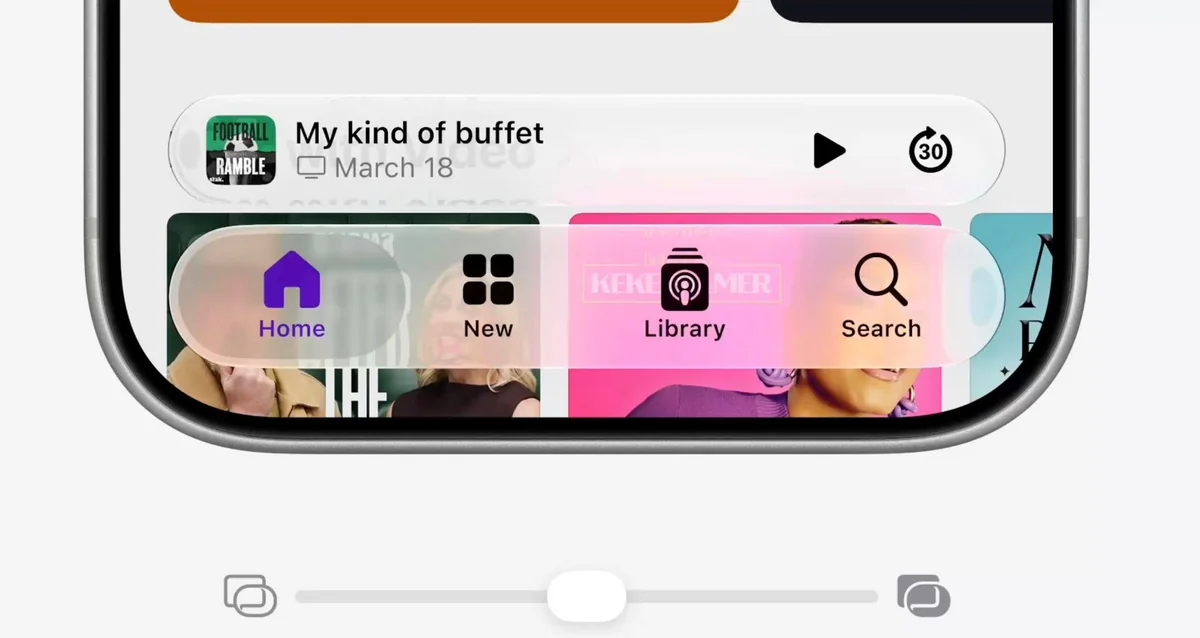
Likewise, the Liquid Glass design gets practical polish: an opacity slider lets you tune background blur from frosted to nearly transparent, improving readability when you want it and showing more wallpaper when you don’t. App icons also received a subtle visual pass, and widgets now include an extra-large size that can occupy nearly an entire home screen — useful for calendar or to‑do views that need more real estate. You can also make the Lock Screen time much smaller and tuck it beside the date, freeing space for wallpaper.
Those are the sorts of fit-and-finish tweaks The Verge’s beta testers liked immediately — the kind of things you notice in everyday use without a keynote microphone.
Speed claims and the older-iPhone paradox
Apple emphasized performance work in iOS 27: tweaks to the CPU scheduler, faster system animations, and optimizations that the company says make apps open roughly 30% faster and photos display up to 70% faster. AirDrop is touted as substantially quicker, too. For people clinging to older phones like the iPhone 11 or the 2nd-generation iPhone SE, those improvements are meaningful: they don’t unlock flashy AI features, but they can make a device feel years younger.
That’s the optimistic take: Apple focused on making existing hardware feel better rather than forcing upgrades. Macworld’s coverage highlights these under-the-hood wins as the update’s most consequential contribution.
But there’s a sharper edge. A significant portion of iOS 27’s headline features — the whole Apple Intelligence and Siri AI suite — require the latest hardware. Apple has limited full Apple Intelligence to the iPhone 15 Pro line and newer devices, and some AI capabilities apparently need 12GB of unified memory (so only certain Pro/Max or newer models will see everything). The result: your phone might be supported by iOS 27 but still miss the splashes of AI magic shown onstage.
That tension is the main critique from folks who installed the beta on slightly older hardware. If your device can’t run Apple Intelligence, iOS 27 can feel like a cosmetic update with one brilliant new slider and a helpful set of performance fixes — useful, but underwhelming if you tuned in for AI.
What to expect and how to think about it
iOS 27’s developer beta is out now; a public beta should follow next month and the full release will land in the fall. If you own a recent iPhone Pro model and are curious about Siri AI, this is the year to pay attention. If you’re on an iPhone 11 or similar and don’t plan to upgrade, expect a speedier, smoother phone but don’t expect the AI features that dominated WWDC to appear.
Two relevant angles if you want to dig deeper: Apple’s ongoing tweaks to the Liquid Glass interface are tied into broader macOS changes this cycle, which Apple is also refining in macOS 27 macOS Liquid Glass tuning and Safari AI work. And the company’s larger AI strategy — including a separate Siri app and new enterprise-facing hubs — gives context to why the company prioritized gesture changes and assistant access across iOS Apple’s standalone Siri app and business hub.
If you value raw new features, iOS 27’s most headline-grabbing stuff lives behind the newest silicon. If you care about responsiveness, usability and finally controlling alarm volume separately, this update offers a surprising amount — quietly, and without much fanfare.
Either way, this release feels like Apple taking two paths at once: pushing forward on an AI-driven future while trying not to leave the rest of its user base feeling abandoned. That balancing act will define how people feel about iOS 27 once the public beta churn begins and the update reaches everyone this fall.