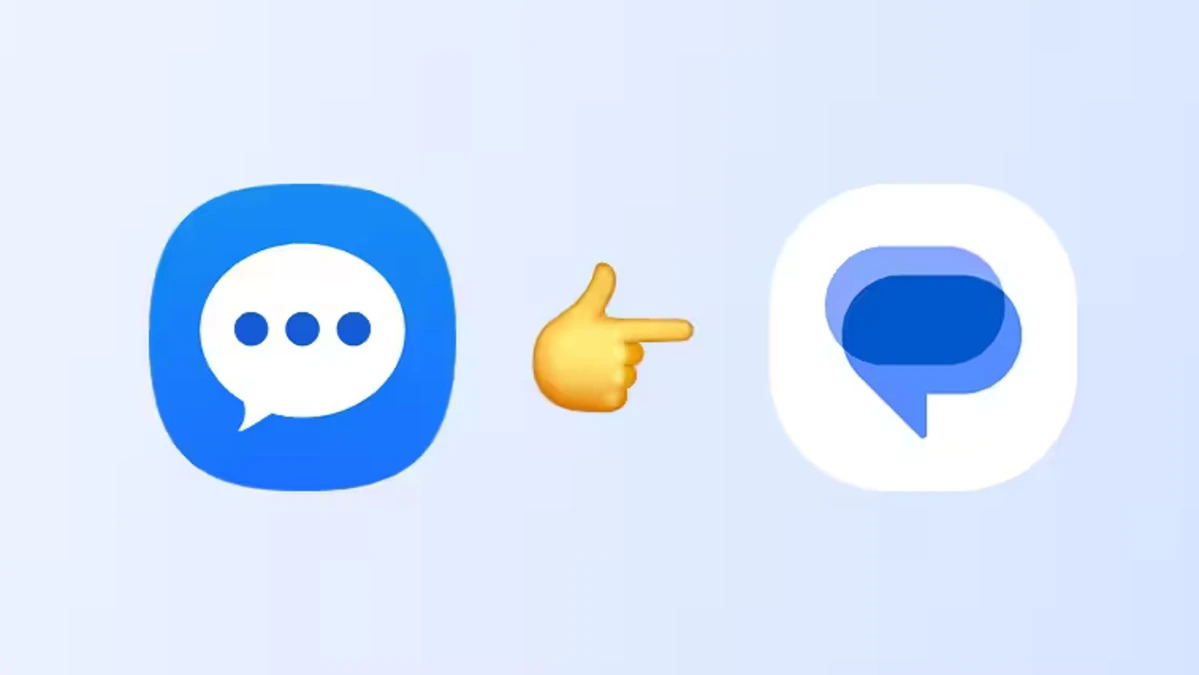
Samsung quietly set a clock on one of its oldest pieces of software: the company says the Samsung Messages app will be discontinued in July, and users should move to Google Messages as their default messaging client.
What changed — and why it matters
This is not a surprise so much as an official end date. Samsung has been nudging users toward Google Messages for a while: recent Galaxy flagships shipped with Google’s app preinstalled instead of Samsung’s (you may have noticed this on the Galaxy Z Fold 6, Flip 6 and the S25/S26 family). Now Samsung is finishing the job and will stop supporting its own Messages app next month. The company reportedly notes the exact shutdown date inside the Samsung Messages app itself, and the app remains listed on the Galaxy Store for now.
For most people the switch should feel like a net upgrade. Google Messages supports RCS (richer media, group chats, typing indicators), multi-device sync, more advanced spam and scam detection, and a suite of AI-powered features — including Gemini-powered image remixing inside chats — that Samsung Messages doesn’t offer.
That said, some Galaxy users will lose a handful of Samsung-specific customizations. And there are compatibility wrinkles worth knowing about.
Who gets affected — and who might be left in the cold
- Devices running Android 12 and 13 need a few manual steps to switch the default app; Android 14+ phones should be guided through the change automatically, and the Google Messages icon may even be moved into your home dock for you.
- Samsung says devices running Android 11 or older aren’t covered by this particular end-of-service announcement, but there are limits for older hardware. Smartwatches launched before the Galaxy Watch 4 (those on Tizen, for example) don’t support Google Messages. After Samsung Messages stops working in July, those watches may only be able to read/send SMS and won’t show full conversation history.
- Some phones launched before 2022 might see RCS interruptions after switching; SMS and MMS will still work. Samsung notes RCS can be restored if both people in a conversation switch to Google Messages.
- If you continue using Samsung Messages after the cutoff, Samsung warns messages won’t go through except for emergency service numbers or emergency contacts defined on the device.
- Open the Samsung Messages app and look for the end-of-service notice; it should point to the exact cutoff date.
- Install Google Messages from the Play Store if it isn’t already present.
- On Android 14 and newer: follow the on-screen prompts to set Google Messages as your default. Samsung will often move the Google Messages icon into the home dock for you.
- On Android 12 and 13: you may need to manually put the Google Messages shortcut on your home screen and set it as the default SMS app via Settings > Apps > Default apps.
- Check pairing and watch settings: if you have an older Galaxy Watch, expect reduced functionality until you upgrade to a watch that supports Google Messages.
If you’re considering a hardware move instead of a workaround, note that many of the phones Samsung is pushing (and that already shipped without Samsung Messages preinstalled) are covered in our Galaxy S26 coverage — for context on current Galaxy hardware see our Galaxy S26 overview and where to find deals on the S26 family.(/news/samsung-galaxy-s26-ultra-review-roundup) (/news/galaxy-s26-deals-verizon-plus-loop)
How to switch — short checklist
A final practical tip: if you rely on RCS features (higher-res media, typing indicators, read receipts), confirm that the people you message are also on Google Messages — RCS behaves best when both sides use the same service. If cross-platform RCS encryption and standards interest you, keep an eye on platform updates that affect RCS security; platform updates such as the recent iOS beta work around similar RCS developments and encryption efforts.(/news/ios-26-5-beta-1-maps-rcs-e2ee)
Samsung’s move is the end of an era for a little piece of Samsung’s software identity, but for many users it’s a practical change: better cross-device syncing, broader RCS reach, and Google’s AI smarts built into your messages. Just check the date in the app, make the switch before July, and double‑check watch compatibility if you care about seeing full conversations on your wrist.