Google just gave Gemini a tidy, practical upgrade: Notebooks. Announced on the company blog and starting to roll out this week, the feature lets you gather chats, files and custom instructions into dedicated folders that Gemini can use as context while you chat.
If that sounds familiar, it should. OpenAI's ChatGPT has long offered Projects/folders for organizing conversations, and Google has been nudging Gemini in the same direction for months. The difference here is a tighter integration with NotebookLM, Google’s research-focused assistant — anything you add in a Gemini notebook shows up in NotebookLM and vice versa.
How notebooks work
Create a new notebook in the Gemini app and then drag in past conversations, PDFs, documents, images or set notebook-specific custom instructions. Gemini treats those items as context, which means your follow-up questions can assume the background you assembled rather than forcing you to repeat details every time.
Because notebooks sync with NotebookLM, you can hop between the two apps and make use of each one’s strengths. Want a cinematic video overview or infographic from NotebookLM? Start the research in Gemini, add the sources to a notebook, then open NotebookLM to generate those media-rich outputs. Edits or new material added in one place appear in the other automatically, so your notes stay consistent across both tools.
XDA and other early writeups highlight practical examples: students could dump class notes and readings into a notebook, use NotebookLM for study aids, then ask Gemini to draft an essay outline the next day without reuploading anything.
Who gets it and what limits apply
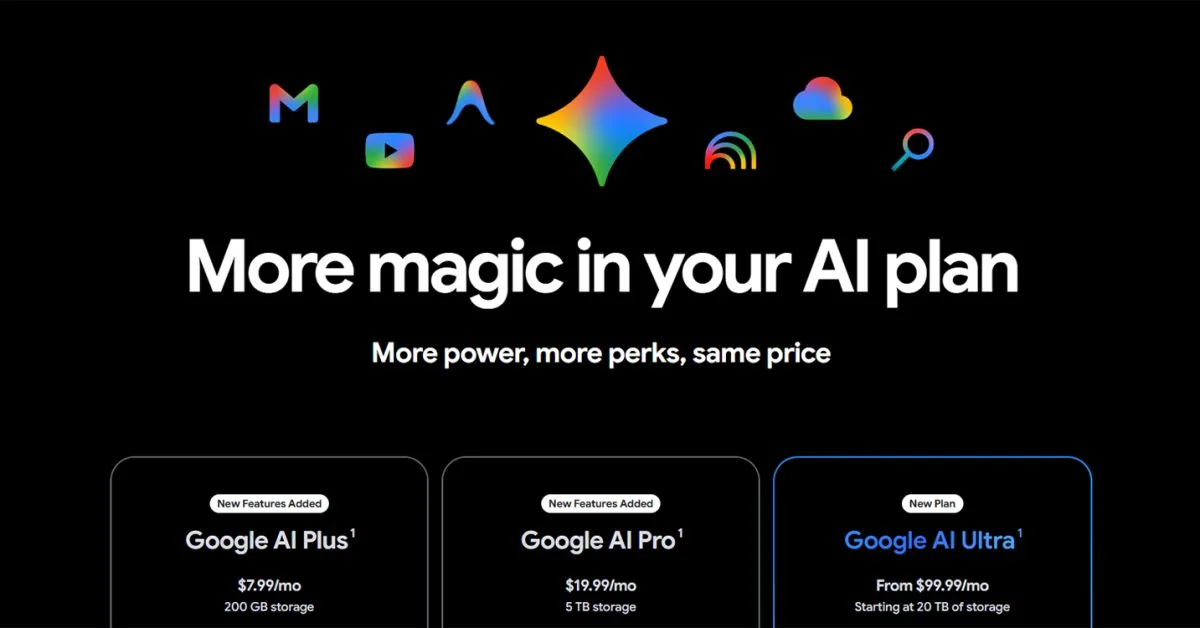
Google is rolling notebooks out first to paid subscribers on the web — Google AI Ultra, Pro, and Plus — with mobile and free users promised in the coming weeks. The number of notebooks and the number of sources you can add depends on your plan. Reported limits include:
- Free (standard): up to 100 notebooks, 50 sources per notebook
- Google AI Plus: 200 notebooks, 100 sources each
- Google AI Pro: 500 notebooks, 300 sources each
- Google AI Ultra: 500 notebooks, 600 sources each
Those caps mean casual users get a lot to play with, while power users and researchers on higher tiers can build much larger personal knowledge bases.
Why this matters (and where it fits)
At first glance, notebooks are a tidy UX improvement: fewer lost chats, less context-swapping. But the integration with NotebookLM hints at something broader: Google is assembling not just a chatbot, but a small ecosystem for personal research and project management. That matches other moves in Google’s AI push, including new models and tooling across products — it’s part of the same arc that gave us the Gemma family of models and agentic features across Google apps (Gemma 4).
There are practical benefits beyond chat organization. If you keep source files in Google Drive or collaborate on documents, having notebooks that pull those files into a single, AI-aware workspace reduces friction — and makes research less scattershot. Google has been layering AI into its storage and recovery tools too, so file-backed notebooks play into a larger system of AI-assisted workflows (Drive's AI ransomware protections).
A few caveats
Notebooks are starting on the web and for paying subscribers first. If you rely on mobile or are a free-tier user, expect a short wait. Also, while notebooks can include web sources, files and past conversations, how Gemini surfaces provenance or handles conflicting source material will be worth testing — especially for students and professionals who need airtight citations.
One more small but useful detail: Google lets you pull NotebookLM notebooks into Gemini and vice versa, which makes the feature more than simply folders — it becomes a shared workspace that leans on each app's best tools.
If you use Gemini a lot, notebooks are an immediately useful addition: less copying-and-pasting, more continuity across sessions, and a nicer way to build a running project dossier. Try it for a class, a renovation plan, a job hunt or any long-running task; the payoff comes from keeping everything the AI needs in one place and letting it do the heavy lifting.