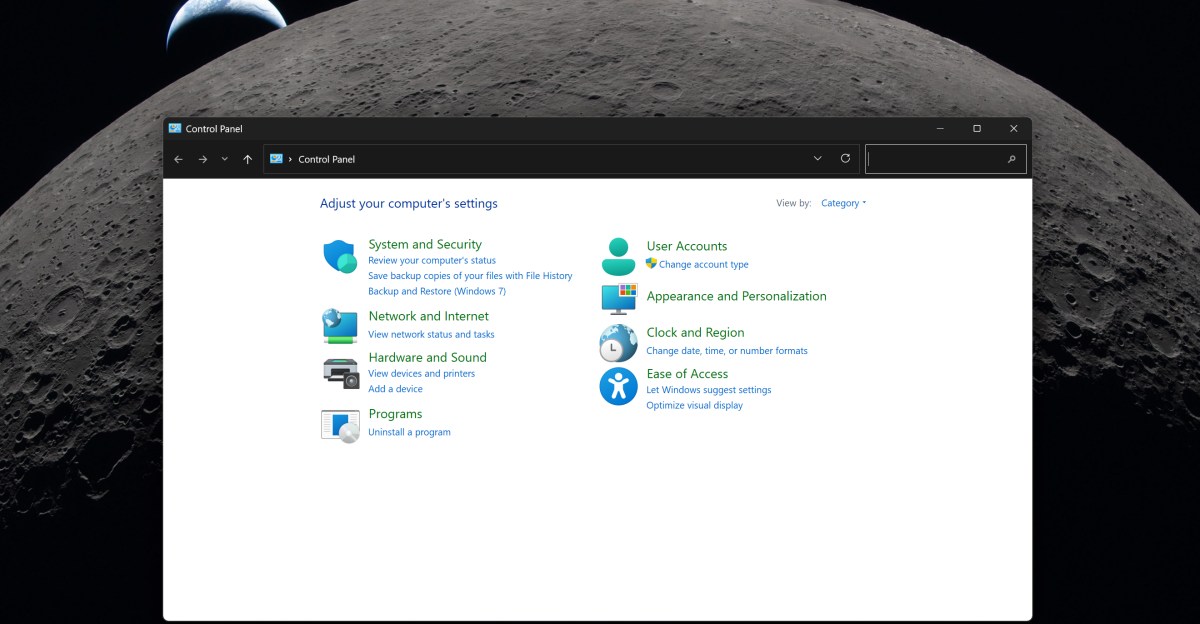
For most people the Control Panel is a relic: a cramped, two‑decade‑old corner of Windows that still shows up in searches, tutorials and the occasional frantic troubleshooting session. Microsoft has been promising to retire it since Windows 8, but the company is moving slowly — deliberately — and for a painfully practical reason: printers and network drivers.
“We're doing it carefully because there are a lot of different network and printer devices & drivers we need to make sure we don't break in the process,” wrote March Rogers, a partner director of design at Microsoft. That line, posted on X this month, is the closest thing we’ve had to a clear explanation for why the migration from the classic Win32 Control Panel into the modern Settings app has dragged on for more than a decade.
Not just aesthetics: real code, real risks
The Control Panel isn't merely an old UI. It's a host for legacy Win32 bits: control.exe and a slew of small programs with the .cpl extension that hardware vendors and software packages drop into the system. Many of those are tied directly to device drivers — printers, scanners, network adapters and other peripherals — and they perform low‑level operations that, if mishandled, can break core functionality.
That makes the work here less like repainting a room and more like renovating the wiring while the house is still lived in. Move a setting into the new Settings app without accounting for how a printer vendor’s CPL talks to the driver, and users could suddenly find their printers offline or missing advanced features. For businesses that rely on specialized hardware, that’s a nightmare.
What’s already changed — and what hasn’t
Microsoft has been gradually folding Control Panel features into Settings. Over the past year the company migrated clock settings, keyboard character repeat delay, mouse cursor blink rate and regional formatting (date, number, currency) into the modern Settings interface. Some mouse settings that used to push you into the Control Panel are now native to Settings too.
But heavy hitters remain. Device Manager, advanced File Explorer options and other legacy dialogs still live in the old shell. And because many third‑party drivers still assume Control Panel‑hosted pages are available, Microsoft is treating the transition as a compatibility exercise as much as a redesign.
Marcus Ash, Microsoft’s head of Windows Design and Research, has said the company is building out tooling to modernize other legacy dialogs — not just re‑skinning them but creating a scalable way to migrate or replace them. The latest Settings app is based on WinUI 3 and UWP concepts, a different architecture from classic Win32, which complicates how legacy extensions get handled.
Why this matters to you
If you’re the type who rarely opens Control Panel, these changes may go unnoticed. But for IT admins, power users and anyone with specialized peripherals, the stakes are higher. A rushed migration could mean broken printer utilities, lost network adapter controls or flaky device behavior. Microsoft knows that; the company appears to have chosen caution over speed.
For independent software vendors and hardware makers, the message is clear: move away from Win32‑only control panels and toward modern WinUI front ends. Microsoft has been nudging major ISVs in that direction for a while, and the platform work happening now makes that push more urgent.
The long view
This is one of those slow, invisible projects that will only be obvious when it’s done — or when something goes wrong. Microsoft’s design teams are balancing consistency and clarity in Windows’ UI with a responsibility to not strand users’ devices in the process. That tension helps explain why the Control Panel’s slow fade feels interminable: it’s difficult work that touches both legacy code and the messy diversity of the hardware ecosystem.
Expect the migration to continue piecemeal: Microsoft will keep moving small settings across and modernizing dialogs where it can, while keeping an eye on compatibility. For now, the old Control Panel remains a stubborn utility closet — an ugly but functional part of Windows you hope the company opens and cleans carefully, instead of bulldozing without a backup plan.