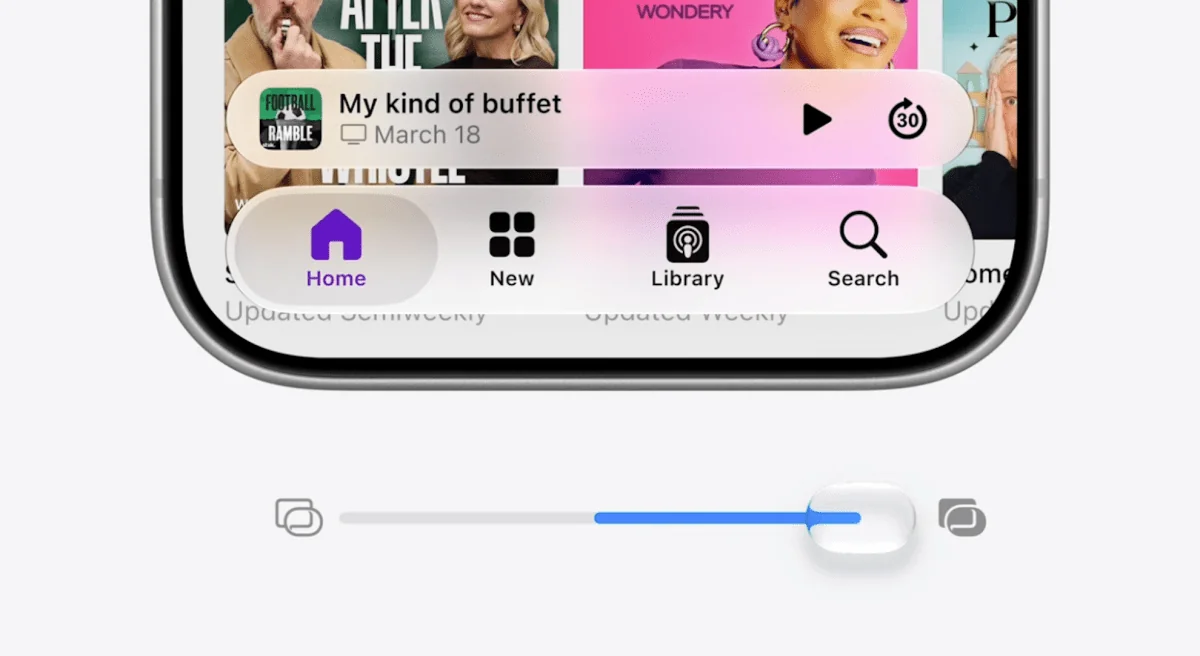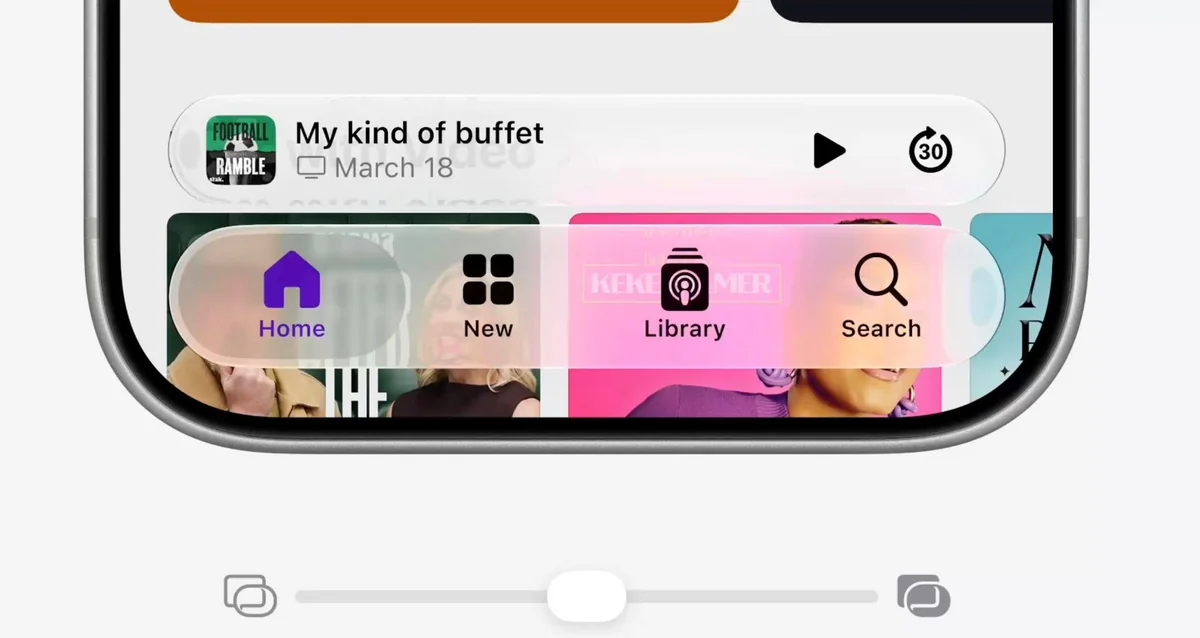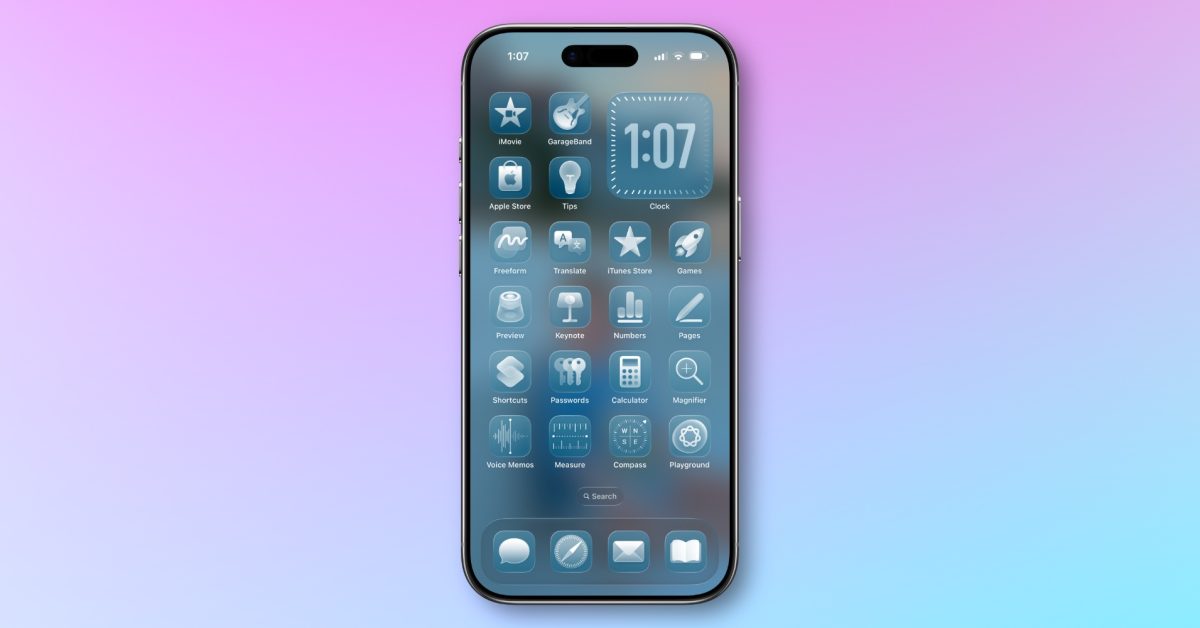
If the Liquid Glass redesign has left you dizzy, Apple is quietly giving you more control.
This week’s batch of beta discoveries and reporting from across the tech press shows iOS 26.4 is more than a handful of tiny fixes — it’s a steady series of quality-of-life touches that aim to calm complaining eyes, add a little emoji flair and nudge Apple Music and device battery management in useful directions. At the same time, macOS Tahoe’s 26.4 update brings its own practical features for people who live on a Mac.
Easier on the eyes: new Liquid Glass controls
Two accessibility changes in iOS 26.4 are worth a minute of your settings time. A brand-new toggle called Reduce Bright Effects dials down flashing highlights that appear when you tap UI elements like buttons or the keyboard. It lives in Settings → Accessibility → Display & Text Size.
Reduce Motion, a familiar accessibility option, has also been updated to “more reliably reduce the animations of Liquid Glass” for people sensitive to on-screen motion. You’ll find that one in Settings → Accessibility → Motion. Small changes, but they matter — for users prone to motion sickness or who simply prefer a calmer interface, these toggles finally make Liquid Glass less intrusive. More on those Liquid Glass customization options can be found in earlier coverage here.
Emoji, playlists and concerts: small delights in iOS 26.4
Apple continues its tradition of shipping new emoji with x.4 updates: expect a handful of fresh glyphs (including that distorted face everyone will meme, a trombone and a sasquatch) to show up across iPhone, iPad and other platforms. Little things, but emoji rollouts always have outsized day-to-day impact.
Apple Music also sees modest but tangible updates: a new Concerts feature surfaces nearby shows for artists you follow, and the app gains AI-assisted auto-generated playlists based on descriptions along with expanded full-screen album and playlist backgrounds. These are iterative changes rather than a redesign, yet they push the app in a more discovery-forward direction — you can read a quick roundup of the update highlights in this writeup of the three standout features in the beta here.
Offline Shazam, family payment tweaks and typing improvements
Beta notes suggest Apple is bringing offline music recognition (Shazam-style) to iPhones, so you can identify tracks without an internet connection and have the history synced later. That’s handy for travel or spotty coverage. Family payment logic is loosening up, too: adults in iCloud Family Groups may be able to use their own cards for purchases instead of everything funneling through the organizer’s account.
Apple’s keyboard also gets attention: swipe-to-type and predictive text accuracy are improved, which should make everyday typing feel smoother. Performance tweaks across the board claim faster app responsiveness and better multitasking on devices running iOS 26.4.
macOS 26.4: charge limits, Freeform in Creator Studio and Safari tweaks
macOS Tahoe 26.4 isn’t a flashy overhaul, but it adds practical features. A Charge Limit setting lets Mac owners stop charging at a chosen percentage (between 80–100%) to slow battery aging — a feature Apple has been gradually rolling out to its hardware family. If you care about battery longevity, this is the sort of small control that pays off over years of use.
Apple’s Creator Studio bundle now includes Freeform with premium features for subscribers, such as smarter image creation and editing tools and integrations with apps like Final Cut Pro and Pixelmator Pro. Safari’s Compact tab bar returns for users who prefer a tidier single-row layout, restoring a customization option that some power users missed when Tahoe first shipped. For more on the macOS additions and which iOS features didn’t make the macOS cut this round, see the deeper macOS 26.4 feature rundown here.
Why these updates matter
None of this is seismic. But taken together they show Apple reacting to real user complaints: give people back control over attention-grabbing UI effects, add features that respect battery health and make modest but useful improvements in media discovery and daily typing.
If you’ve been holding out on updating because Liquid Glass felt overbearing, poke around the Accessibility settings after the next public release. If you’re on a Mac, check the new battery options before you decide whether to keep your laptop charged to 100% all the time.
More changes and polish will likely arrive in subsequent betas and in iOS 27 rumors (a rumored Liquid Glass intensity slider is still circulating), but iOS 26.4 and macOS 26.4 feel like the kind of incremental updates that quietly improve everyday interactions. Try the toggles, play with the music features, and see which tiny change actually saves you time or irritation — sometimes that’s the most welcome kind of update.